Short answer: For a small business, AI pays off when it finishes everyday work, not when it just chats. In Adral you describe the job, or attach your file, and get back something you can use: a briefing from your sales data, a presentation, a budget, a launch notice, a landing page. Nothing changes until you approve it, and plans start free, priced in rupees.
One slide in Adral’s own “AI for Indian Small Businesses” deck puts it well: “For small businesses, AI is not about replacing people. It is about giving small teams the capabilities of a larger one.” Here are eight jobs where that becomes real, with examples run in Adral.
1. Turn your sales file into a clear briefing
Attach the spreadsheet you already keep and say what you need to know. In Adral’s “Testing Adral” video the request is: “Go through this sales file, understand the data, and turn the key findings into a 5-slide presentation for the shop owner.” Adral reads the data and builds the slides, then waits for you to accept them. Step by step in How to make a presentation with AI.
2. Make a presentation for a customer, a bank or investors
Describe the audience and the story, and Adral builds the deck: the 10-slide “AI for Indian Small Businesses” deck in the video, or a 6-slide investor pitch. You can restyle it, edit any slide by hand, present it or download it as a PDF.
3. Keep a budget that adds itself up
Ask for a monthly budget or an expense tracker and Adral builds the sheet with real formulas, so totals update when you change a number. It can format money in rupees with lakh and crore grouping, and you can download the sheet as an Excel file. See How to make an Excel sheet with AI.
4. Write a launch notice, an offer or a customer letter
We asked: “Write a one-page launch announcement for our new filter-coffee store in Pune. Include the opening date, three opening-week offers, and the address under the headline. Warm, friendly tone, under 200 words.” Adral wrote the notice with three offers: free coffee for the first 100 guests each day, 20% off food pairings, and a brass dabara set with every bag of beans.
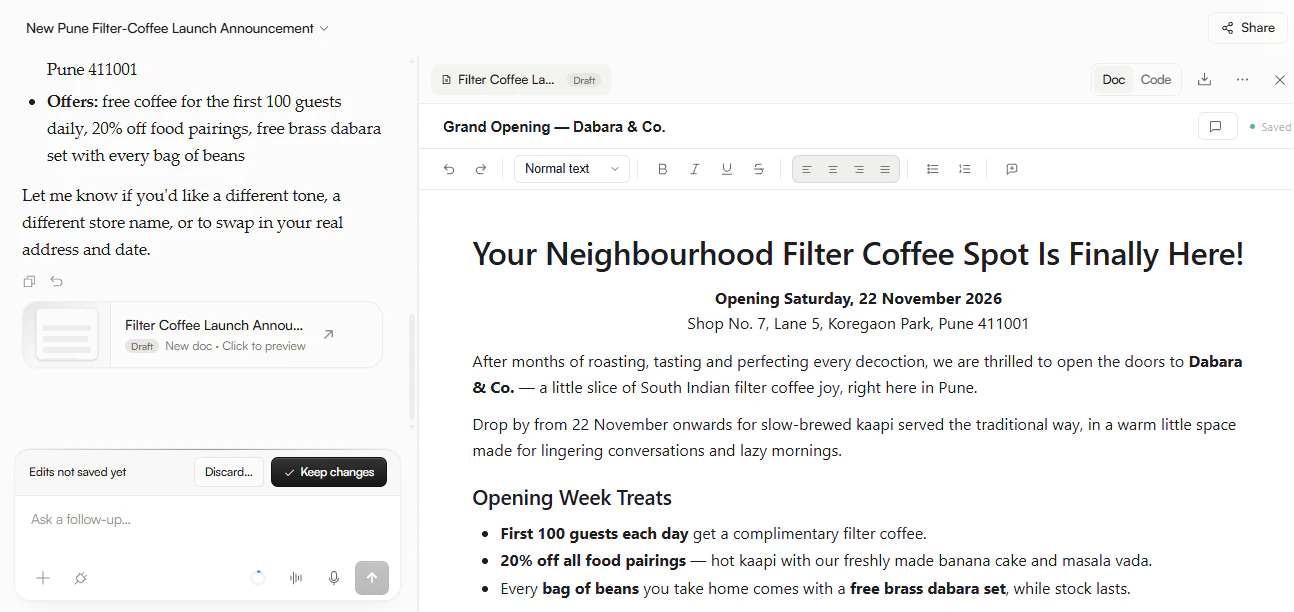
We gave no shop name or address, so Adral used sample ones and said so: “Let me know if you’d like a different tone, a different store name, or to swap in your real address and date.” Give it your real details and you have a notice ready to print, post or send, as a Word file or a PDF.
5. Get a landing page that collects sign-ups
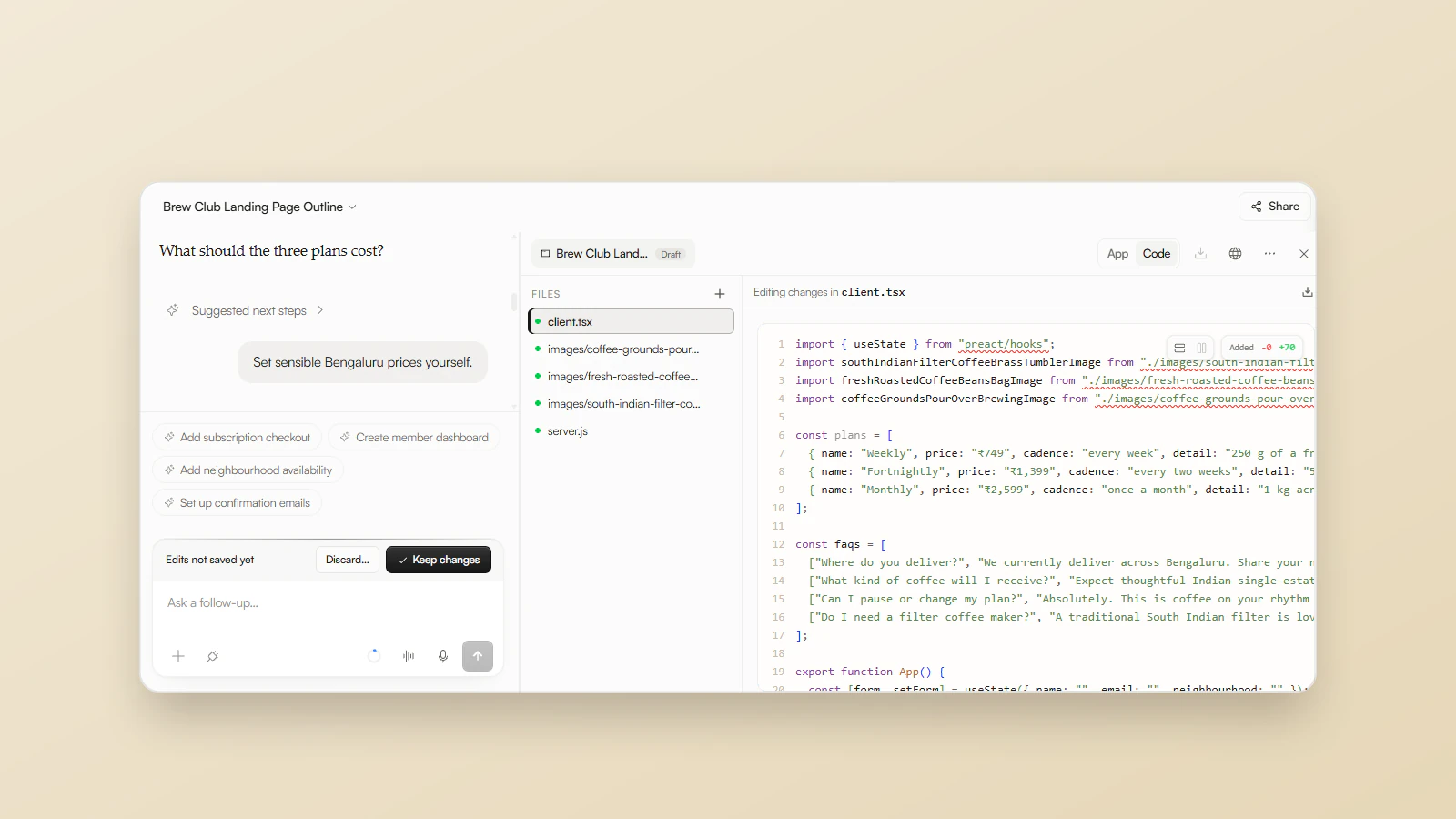
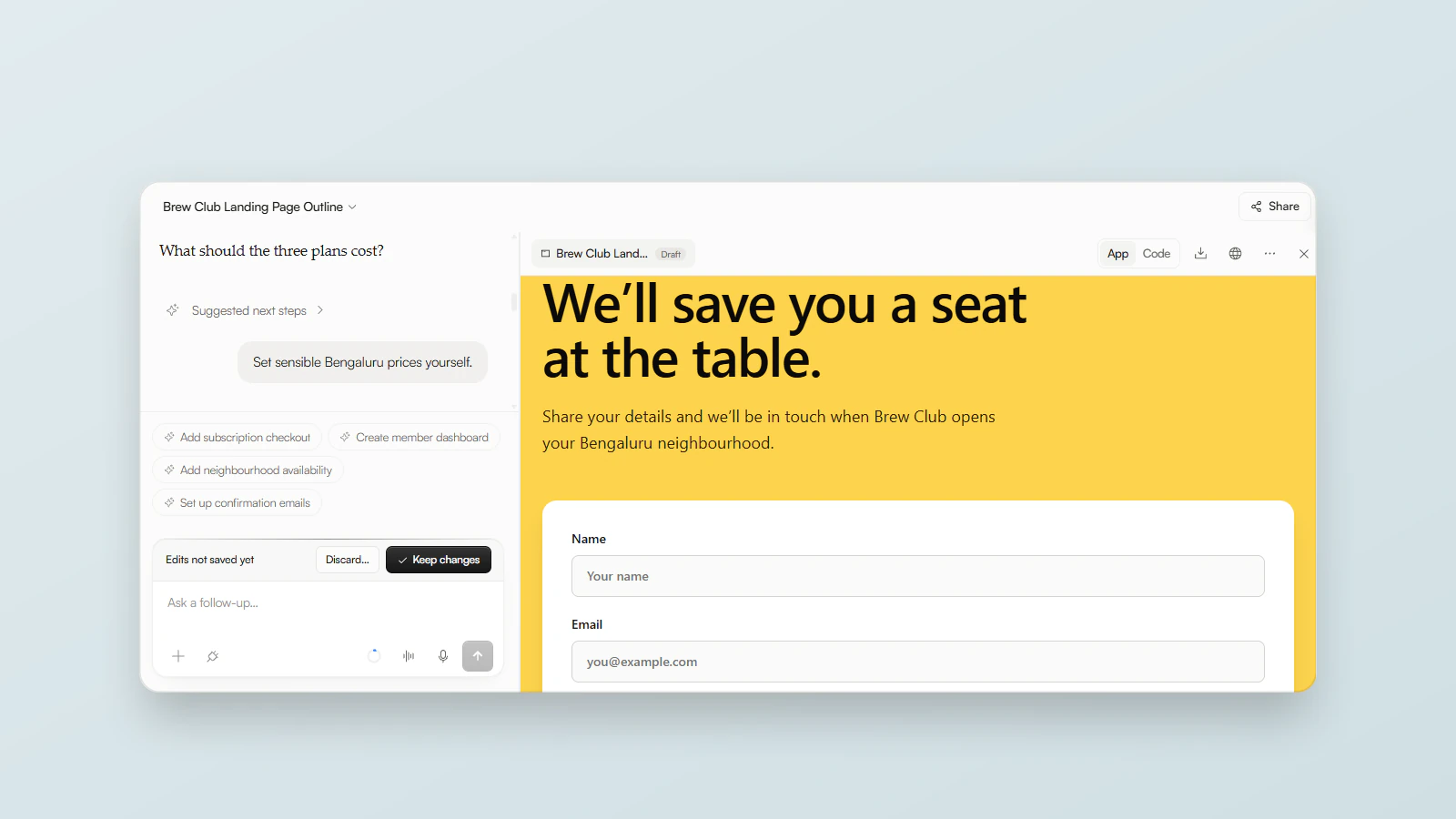
We asked for “a one-page landing site for Brew Club, a filter-coffee subscription in Bengaluru: hero with a sign-up button, how it works in three steps, three plans (weekly, fortnightly, monthly), FAQ and footer. Warm, modern design.” Before finishing, Adral asked two questions we had not answered: what the sign-up button should do (it offered a simple interest form, a checkout-style flow or a WhatsApp enquiry), and what the three plans should cost. The result is the screen at the top of this article, with a sign-up form under the headline “We’ll save you a seat at the table.” Brew Club is a sample business.
6. Map out how your work gets done
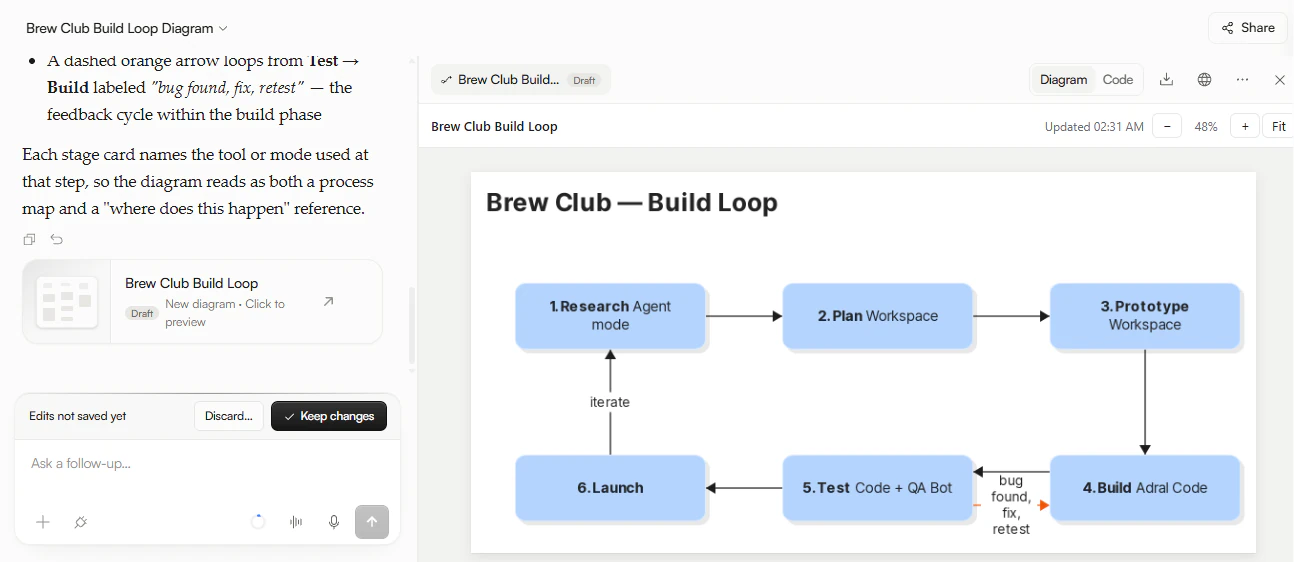
A process diagram helps when you hire, train or fix a bottleneck. Adral draws it from a description and keeps it editable.
7. Hand over browser chores
Some work is just clicking through websites: pulling last month’s orders out of a supplier portal, comparing three suppliers’ prices. Adral’s Chrome extension can do it from one sentence and stops to ask before it buys, sends or deletes anything. See What is an AI agent?
8. Run a check every morning
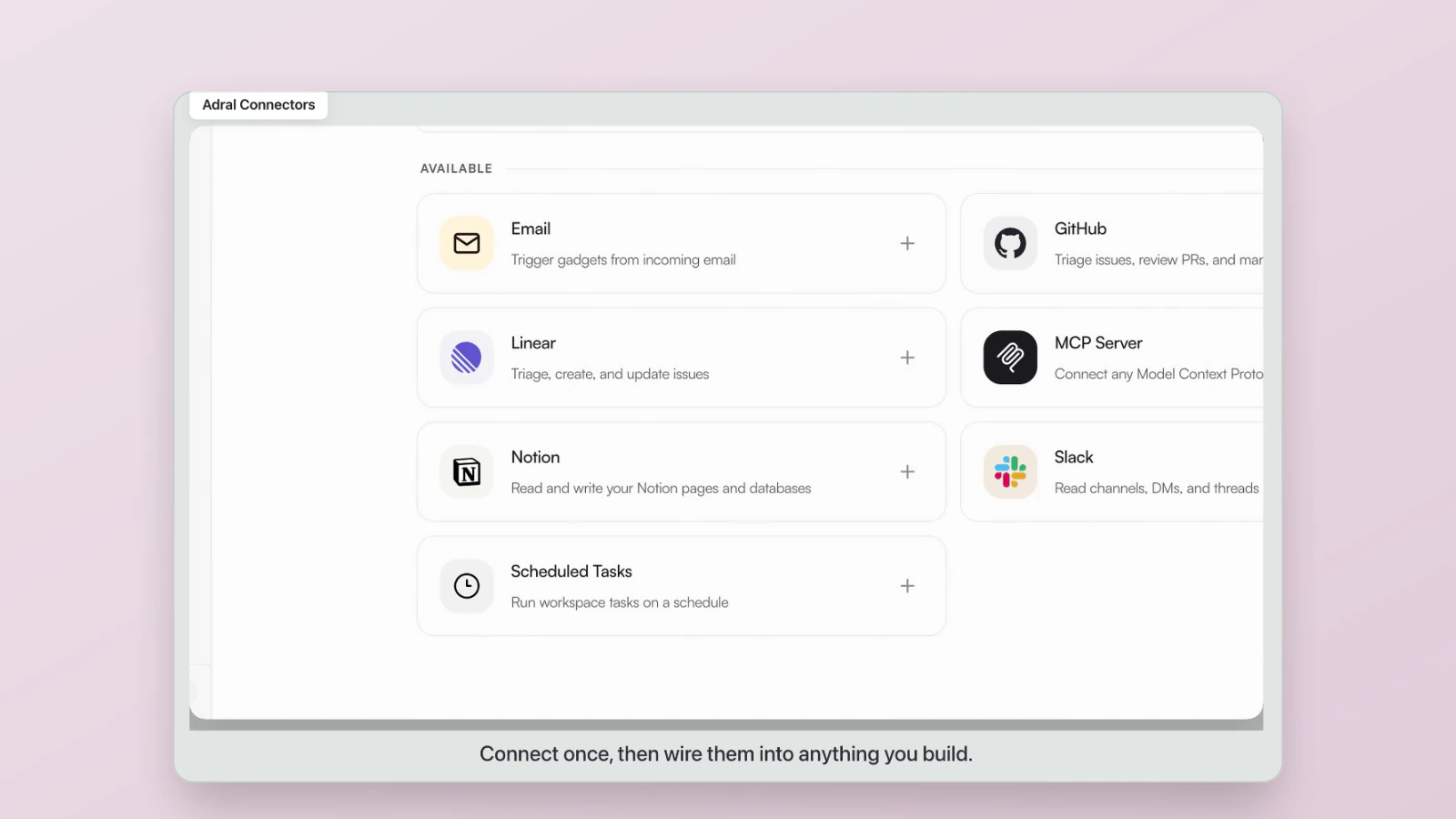
Repeating jobs can run on a schedule. In Adral’s Chrome video, a “Morning price check” is set to run every weekday at 09:00 and report back when it is done. Connect the apps you already use, such as Google, Slack or Notion, and Adral can reach them with your permission. See What is MCP? and Plugins.
What it costs
Adral’s Free plan includes 30M tokens a month, with no card needed. Paid plans are Starter at ₹599, Pro at ₹2,099 and Studio at ₹5,999 a month. See AI prices in India to compare them with ChatGPT, Claude and Gemini.
How to start
- Pick one weekly chore you are tired of: the sales summary, the price list, the offer poster.
- Give real details: your shop name, city, prices in ₹ and dates. Where you leave gaps, AI fills them with samples.
- Review before you accept. Read every name, number and promise. See Checking AI output before you accept it.
Frequently asked questions
How can a small business in India use AI?
For everyday work that eats time: briefings from sales data, presentations, budgets, launch notices and offers, simple websites, process diagrams and repetitive browser tasks. With Adral you describe the job and get back something finished that you can edit.
Is AI expensive for a small business?
It doesn’t have to be. Adral’s Free plan includes 30M tokens a month with no card needed, and paid plans start at ₹599 a month.
Do I need technical skills?
No. You describe what you need in plain words, and everything Adral makes stays editable by hand.
Will AI replace my staff?
It takes over routine parts of the work so a small team can do more. Nothing changes until someone approves it, so decisions stay with your people.
Can Adral use my own data?
Yes. Attach Excel or Word files of up to 50 MB, or connect apps such as Google, Slack or Notion. Adral reaches them only with your permission.
Related: How to make a presentation with AI · How to make an Excel sheet with AI · What is an AI agent?