Adral · How approval works
Adral proposes.You approve.
Nothing changes without you. Adral does the work — the document, the spreadsheet, the building model — and then stops. Everything it produces waits as a pending change until you accept it.
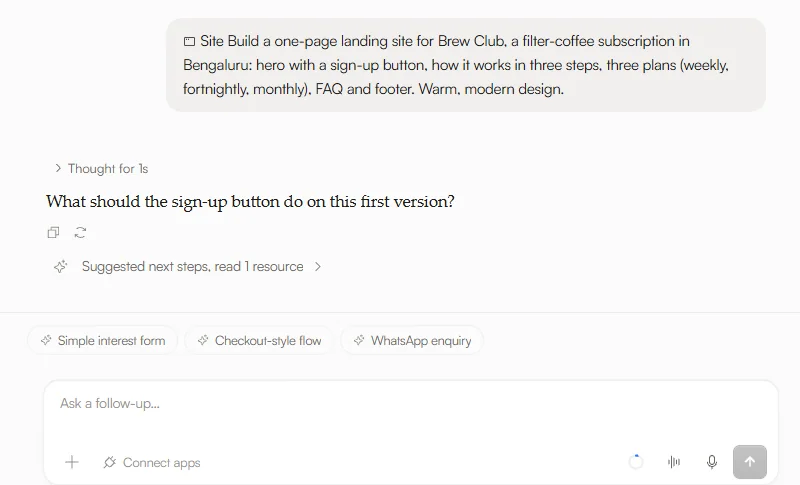
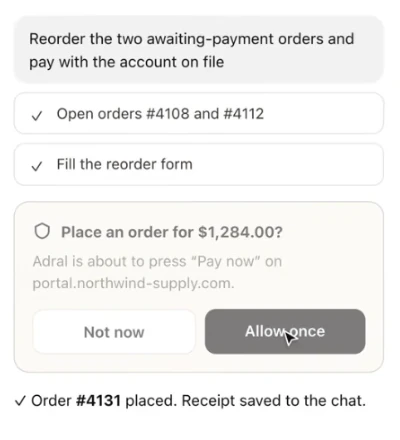

Real screens · the Adral app and the Adral for Chrome demo
- 01Adral proposesAdral does the work and holds the result as a pending change — a draft, not an edit.
- 02You reviewSee what will change, in the same view, before anything is applied.
- 03You decideChoose Accept changes to apply it, or Discard to leave your work exactly as it was.
Your name is on the work.
So the final say is yours.
Why it matters
Adral can draft a memo, rebuild a sheet or plan a two-storey house, but it never silently rewrites what you already have. Material actions wait for you.
And approval is not the end of your control: everything Adral produces stays editable by hand afterwards. The output belongs to you, not to a chat window.
Where you will see it
In Buildings mode, a whole 3D model — with its plans, elevations and schedules — is held as one pending change until you choose Accept changes. In the Workspace, documents, sheets and diagrams wait for you the same way. One rule everywhere: Adral proposes, you approve.
Try it on your own project.Start with a 2-week pilot.
hi@adral.ai