Adral · Chrome Extension

Adral, in your browser.

Give Adral a job and it can read pages, click, type and work across tabs — now or on a schedule. The extension lets Adral work directly with websites and browser-based applications, and carry the task through to completion.

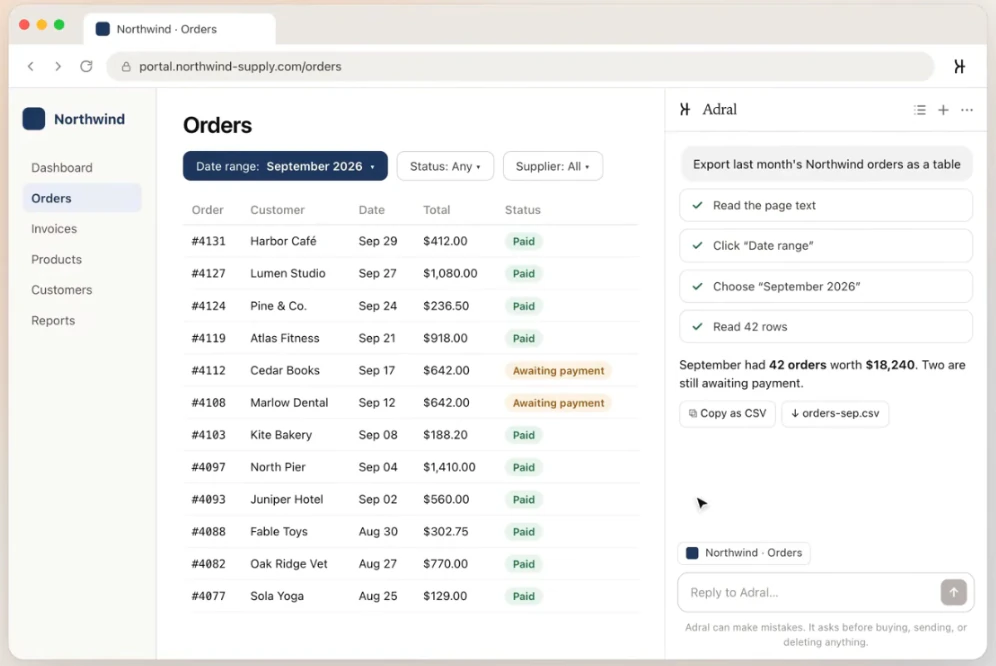
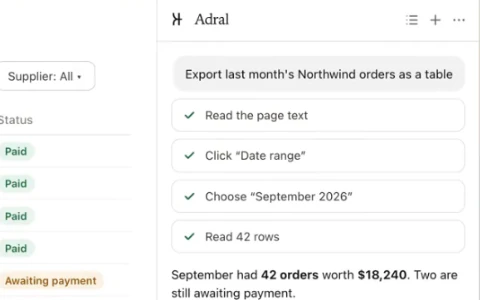
The Adral side panel in Chrome next to an orders page: it read the page, set the date range and returned September’s 42 orders as a table
From the Adral for Chrome demo Asked to export last month’s orders, Adral reads the page, sets the date range and hands back the table.

Product behaviour

An answer describes the steps. Adral takes them.

Instead of only telling you what to do, Adral works through the browser and does the work. The extension gives it the page and the controls on it, so a job ends in a finished task rather than a list of instructions.

Chat assistant

  1. User asks
  2. AI responds

Steps left to the user

Adral in the browser

  1. User gives a job
  2. Adral reads the page
  3. Adral plans
  4. Adral acts in the browser
  5. Task completed

Finished in the browser

How it works

From instruction to finished task.

Four moments from the Adral for Chrome demo: a plain request, work across tabs, a job on a schedule, and a pause for your yes before anything is bought.

Adral exporting September’s orders from an orders page into a table
01 · ChatAsk in plain language.Adral reads the page, then clicks and types to finish the job.
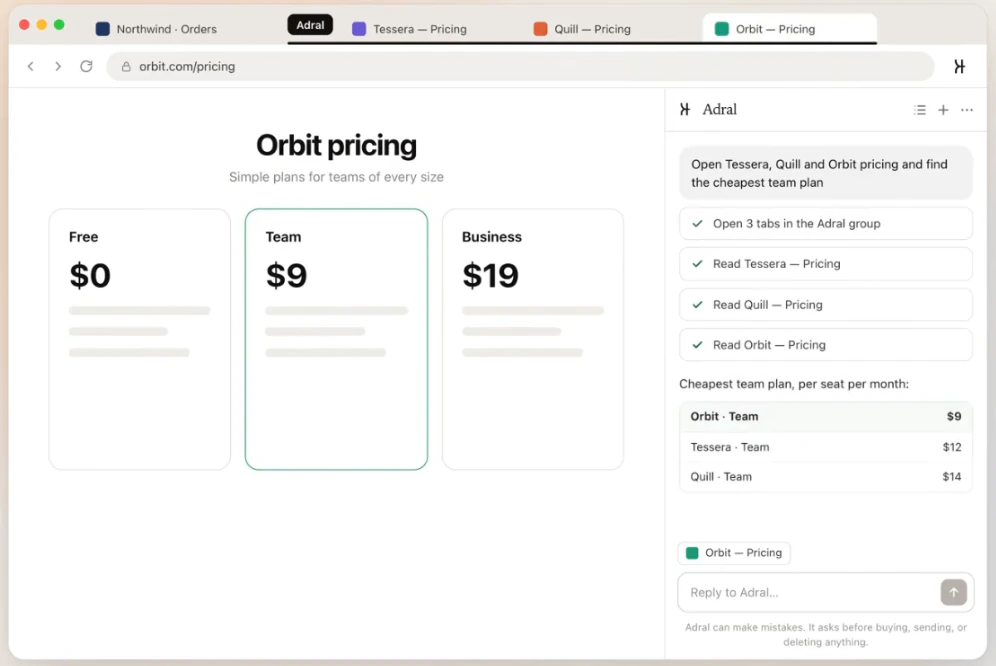
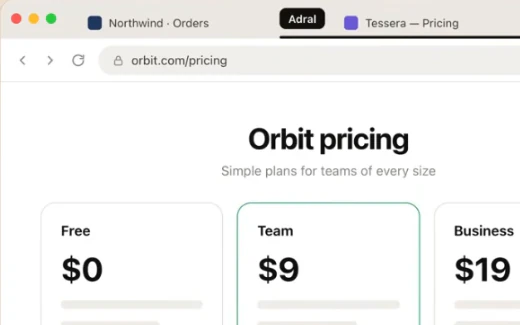
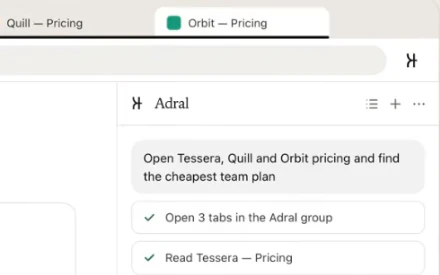
Adral opening three pricing pages in its own tab group and comparing team plans
02 · TabsWorks across tabs.Everything it opens lands in its own tab group. Your tabs stay yours.
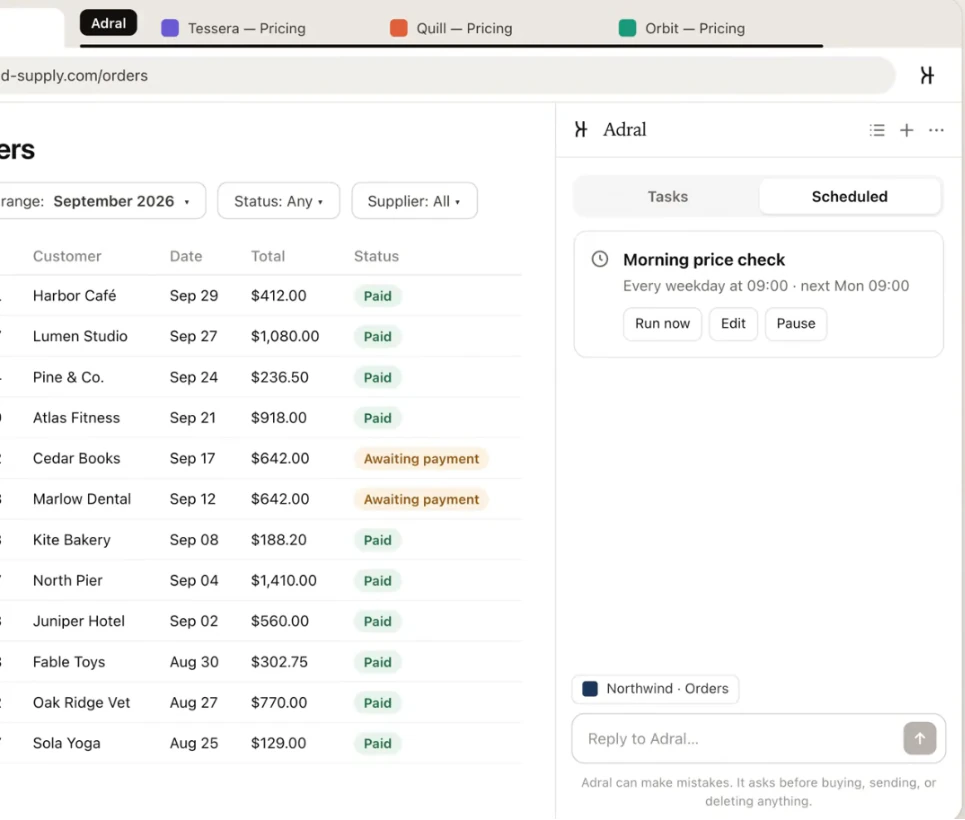
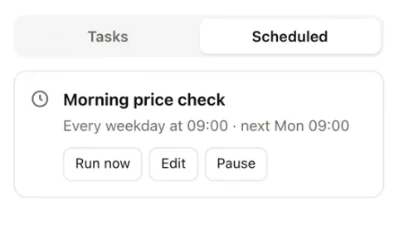
A scheduled job in the Adral side panel: Morning price check, every weekday at 09:00
03 · SchedulesSet it once. It runs at nine.Save a job to run every weekday. It reports back when it’s done.
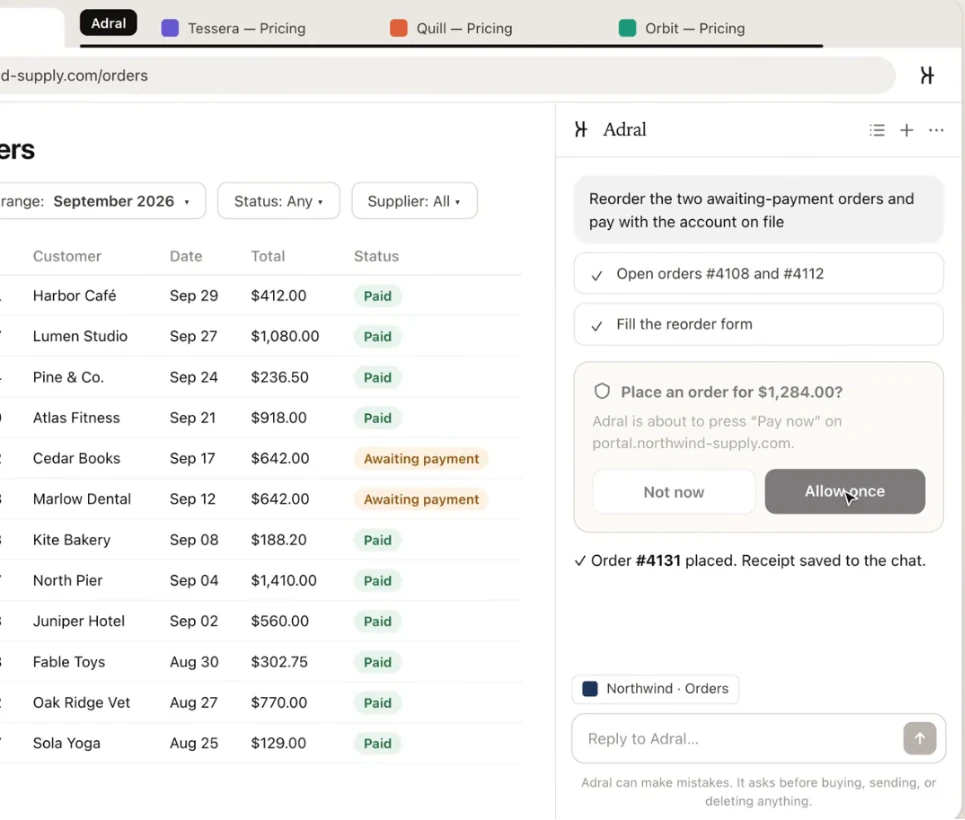
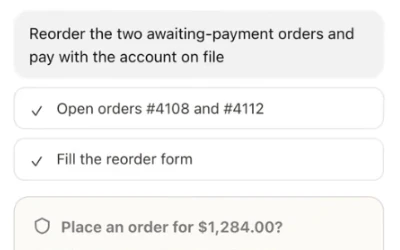
Adral pausing before it pays for an order, with Not now and Allow once buttons
04 · ApprovalsAsks before it acts.Buying, sending or deleting waits for your yes.

From the Adral for Chrome demo Frames from Adral for Chrome: the browser agent that finishes the work.

Capabilities

What Adral can do on a page.

The Adral panel listing what it did: read the page text, clicked Date range, chose September 2026, read 42 rows
ReadUnderstand webpage content, extract what matters and use it as context.
Adral’s tab group open on a pricing page
NavigateMove through websites and browser-based applications.
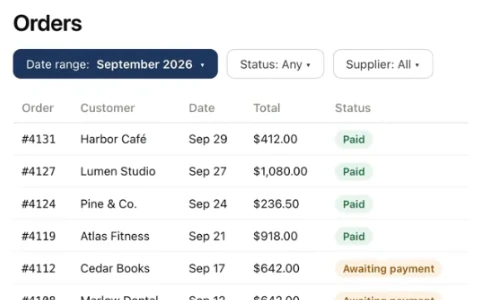
The orders page with the date range set to September 2026
ClickInteract with buttons, links, menus and controls.
Adral filling a reorder form, then asking before it pays
TypeEnter information into fields and forms.
Adral opening three pricing pages in its own tab group
Across tabsUse information and actions across multiple browser tabs.
A scheduled job: Morning price check, every weekday at 09:00
ExecuteCarry multi-step browser tasks through to completion, now or on a schedule.

Product tests

Two documented runs on live sites.

We ran these tests ourselves and report them as they happened. Each is a single run. It shows what the extension did, not a guarantee that every site, listing or page behaves the same way.

Test 01 · LinkedIn

Easy Apply, end to end.

Job
Chennai Walk in Gen AI Developer — Tata Consultancy Services (TCS)
Surface
linkedin.com · Easy Apply
  1. 01Found the jobok
  2. 02Read the job informationok
  3. 03Understood the roleok
  4. 04Interacted with the LinkedIn pageok
  5. 05Opened Easy Applyok
  6. 06Completed the application flowok
  7. >Application submittedresult

In a separate LinkedIn session, Adral read a profile, extracted the skills on it and suggested matching roles and search keywords. When LinkedIn showed a CAPTCHA during an automated job search, Adral stopped, said why, and handed over the keywords to search manually.

Test 02 · Notion

A project page from one line.

instructionCreate a project page for launching a new AI product.

AI Product Launch Project

Project overviewKey objectivesTimeline & milestonesTask board

Planningwk 1–2
Developmentwk 3–6
Beta testingwk 7–8
Marketingwk 7–9
Launchwk 10

To Do

Finalize product specificationsSet up development environmentCreate user personas

In Progress

Initial project setup and planningTeam role assignments

Done

Project page created in Notion

Mid-task, a database-backed task tracker did not come out as intended, so Adral switched to a simpler To Do / In Progress / Done board. The structure above is typed out from the page Adral created (excerpt). It is not a screenshot.

Other browser jobs · not yet documented

Where the same actions apply.

These use the same reading, navigation, clicking and typing as the tests above. We have not published a test for each yet, so they are listed separately.

  • Research across websitesLook something up on several sites and bring the findings together.
  • Collect information from pagesPull names, prices, dates or details out of the pages you point it at.
  • Fill in formsEnter the details a form asks for, field by field.
  • Navigate web applicationsFind the right screen or setting inside a web app.
  • Compare across tabsPut what is open in several tabs side by side.
  • Create or update contentWrite or edit pages, entries and records inside a web app.

Under the hood

It works through the browser, the way you do.

Chrome extension
Runs in Chrome, in the tabs you already use.
Page as context
Reads the page you are on before it acts.
Page controls
Clicks, types and navigates through the page’s own buttons, links and fields.
Now or scheduled
Run a job immediately, or set it to run on a schedule.

Where it stops. Websites can block automated steps. When a page shows a CAPTCHA or a step does not work, Adral stops, reports what happened and gives you a way to continue manually.