Short answer: Open Slides in Adral and describe the presentation you need (who it is for, how many slides, what each one should say), or attach your notes or an Excel file. Adral builds the deck. You review it before keeping it, ask for changes in plain words, edit any slide by hand, then present it or download it as a PDF.
Searching for an AI PPT maker usually means one thing: you need slides by tomorrow and don’t want to start from a blank page. Here is how that works in Adral, step by step, with real runs.
Step 1: Describe the deck in one message
Choose Slides and say what the presentation is for. This is the real request from Adral’s “Testing Adral” video: “Make a presentation on how AI helps small businesses in India: an introduction, the key ideas, and the benefits.”
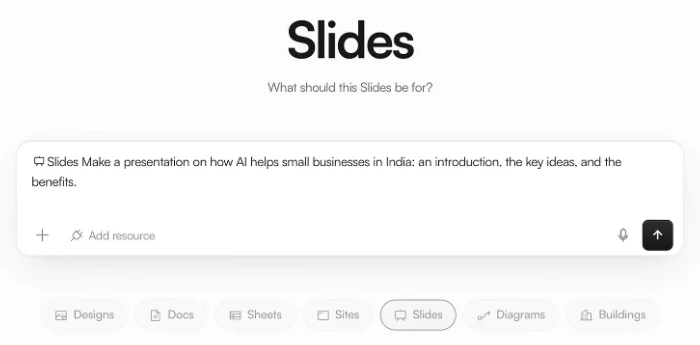
A sentence gets you started; a little more detail gets you closer to done. Mention:
- The audience: your manager, a client, investors, a class.
- The number of slides and the point each one must make.
- Any numbers that must appear, or the file they come from.
- The look: “clean, modern design”, “formal”, “playful”.
More on this in Writing a good brief for Adral.
Step 2: Or start from your own file
If your material is already in a spreadsheet or a document, attach it. In this run, Adral is given a shop’s sales file with the request: “Go through this sales file, understand the data, and turn the key findings into a 5-slide presentation for the shop owner.” Adral runs code to read the data and builds the slides. The new deck waits as pending changes until you choose Discard or Accept changes.
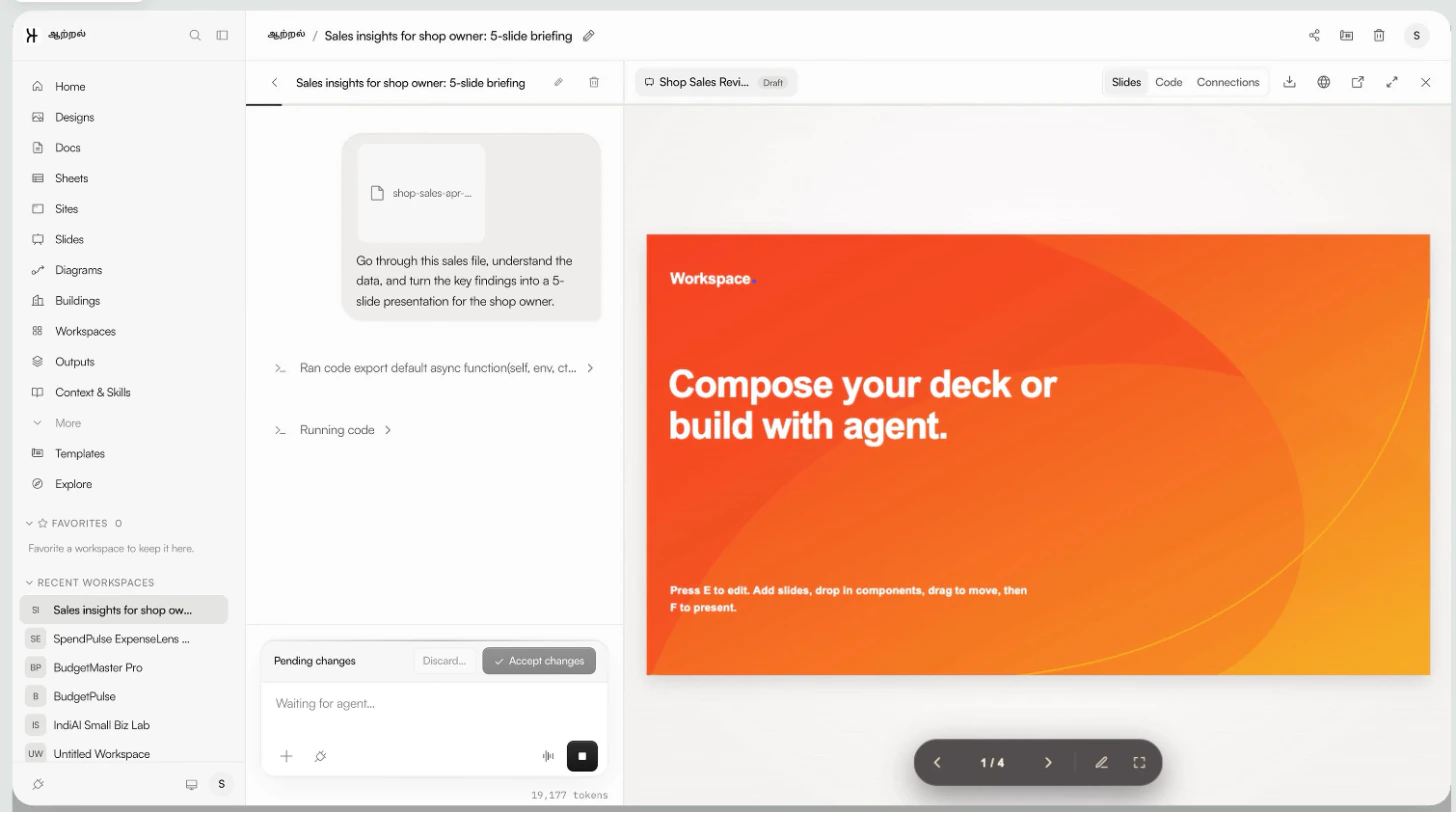
Adral reads Word (.docx) and Excel (.xlsx) files up to 50 MB, as well as text you paste into the message.
Step 3: Review it and ask for changes
The first version is a draft, not the final word. In the “AI for Indian Small Businesses” deck from the same video, a follow-up asked for a cleaner look, and Adral listed what it changed: clean white slides with charcoal text, one restrained teal accent, simple outlines instead of heavy cards, and pictures kept only where they support the opening, section break, operations and closing slides.
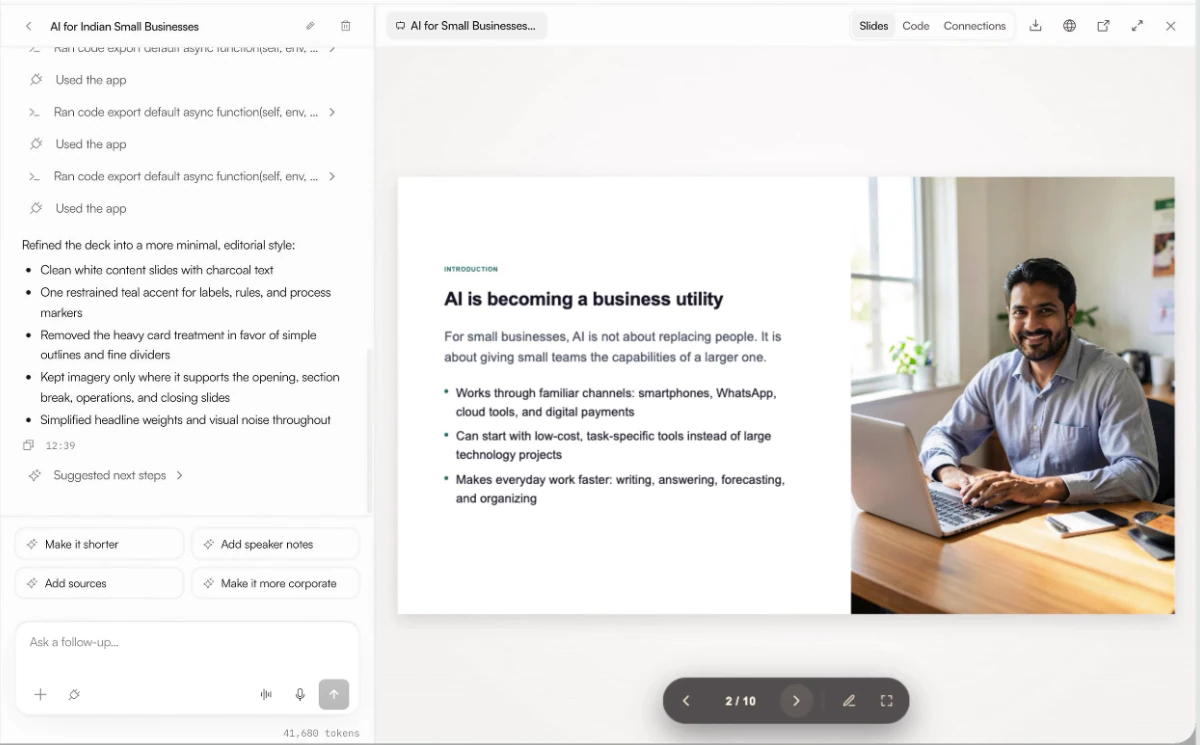
Adral also offers next steps you can click, such as Make it shorter, Add speaker notes, Add sources and Make it more corporate. Ask for one change at a time and you can see exactly what moved.
Step 4: Edit any slide by hand
Everything stays editable. A new deck’s first slide spells out the controls in Adral’s own words: “Press E to edit. Add slides, drop in components, drag to move, then F to present.” You can add, remove and reorder slides and rewrite any text yourself, so the last 10% is always yours.
Step 5: Present or download
Press F to present full screen, or use the download button to save the deck as a PDF, as images (PNG) or as a video (MP4).
A complete example: a 6-slide investor deck
We asked Adral for “a 6-slide seed-round investor deck for Brew Club, a filter-coffee subscription startup in Bengaluru: problem, solution, market, traction, business model, the ask. Clean, modern design.” Brew Club is a made-up company for this demo. Adral built the six slides and suggested what to do next: add a competitive landscape slide, create a financial projections slide, polish the visuals, or export a one-page investor summary.
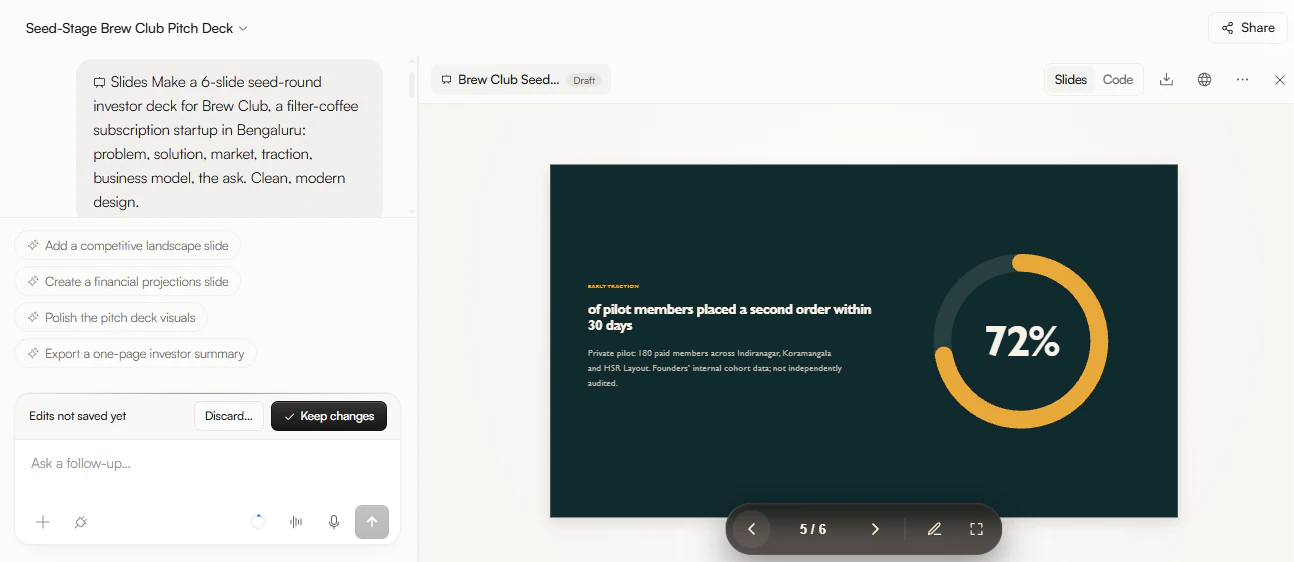
One lesson from this run: we gave Adral no numbers, so it filled the traction slide with plausible sample figures (72% repeat orders from a 180-member pilot). For a real deck, give it your real numbers or attach the file they come from, and check every figure before you present. See Checking AI output before you accept it.
Tips for a better AI presentation
- Tell the story, not just the topic. “Problem, solution, market, traction, the ask” gives a far better deck than “a deck about my startup”.
- Bring your own numbers. Paste them in or attach the spreadsheet.
- Change one thing at a time. “Make slide 3 a comparison” is easier to check than a full rewrite.
- Read every slide before you present. Names, numbers and claims are yours to stand behind.
Frequently asked questions
Can AI make a PPT for me?
Yes. In Adral you describe the presentation, or attach your notes or an Excel file, and it builds the slide deck. You can then edit it, present it full screen or download it as a PDF.
Can I make slides from an Excel file?
Yes. Attach the Excel (.xlsx) file and say what the slides should show. Adral reads the data and turns the findings into slides, like the 5-slide sales briefing above.
Can I edit the slides after Adral makes them?
Yes. Ask for changes in plain words, or press E to edit any slide yourself: add slides, change the text and drag things around.
How do I download the presentation?
Use the download button to save it as a PDF, as PNG images or as an MP4 video. To show it live, press F to present full screen.
Is it free to try?
Yes. Adral’s Free plan includes 30M tokens a month, with no card needed. Building a deck uses more tokens than a quick question. See AI prices in India for all plans.
Related: How to make an Excel sheet with AI · Writing a good brief · Checking AI output