Short answer: Open Sites in Adral and describe the website in one message: who it is for, the sections you need and the feel you want. Adral asks about anything it can’t guess, writes the pages and code, and shows you the result to keep or discard. When you are happy, publish it at an address you choose.
Here is one complete run, step by step, for a sample business: Brew Club, a filter-coffee subscription in Bengaluru.
Step 1: Describe the site in one message
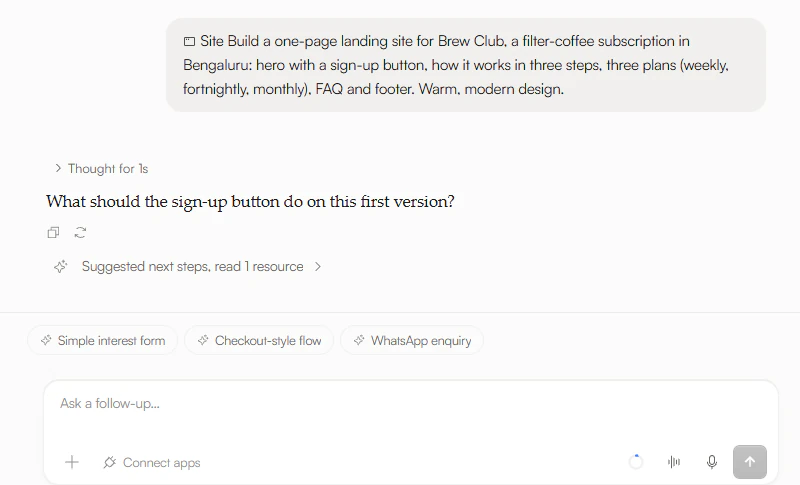
We chose Sites and wrote: “Build a one-page landing site for Brew Club, a filter-coffee subscription in Bengaluru: hero with a sign-up button, how it works in three steps, three plans (weekly, fortnightly, monthly), FAQ and footer. Warm, modern design.”
Step 2: Answer Adral’s questions
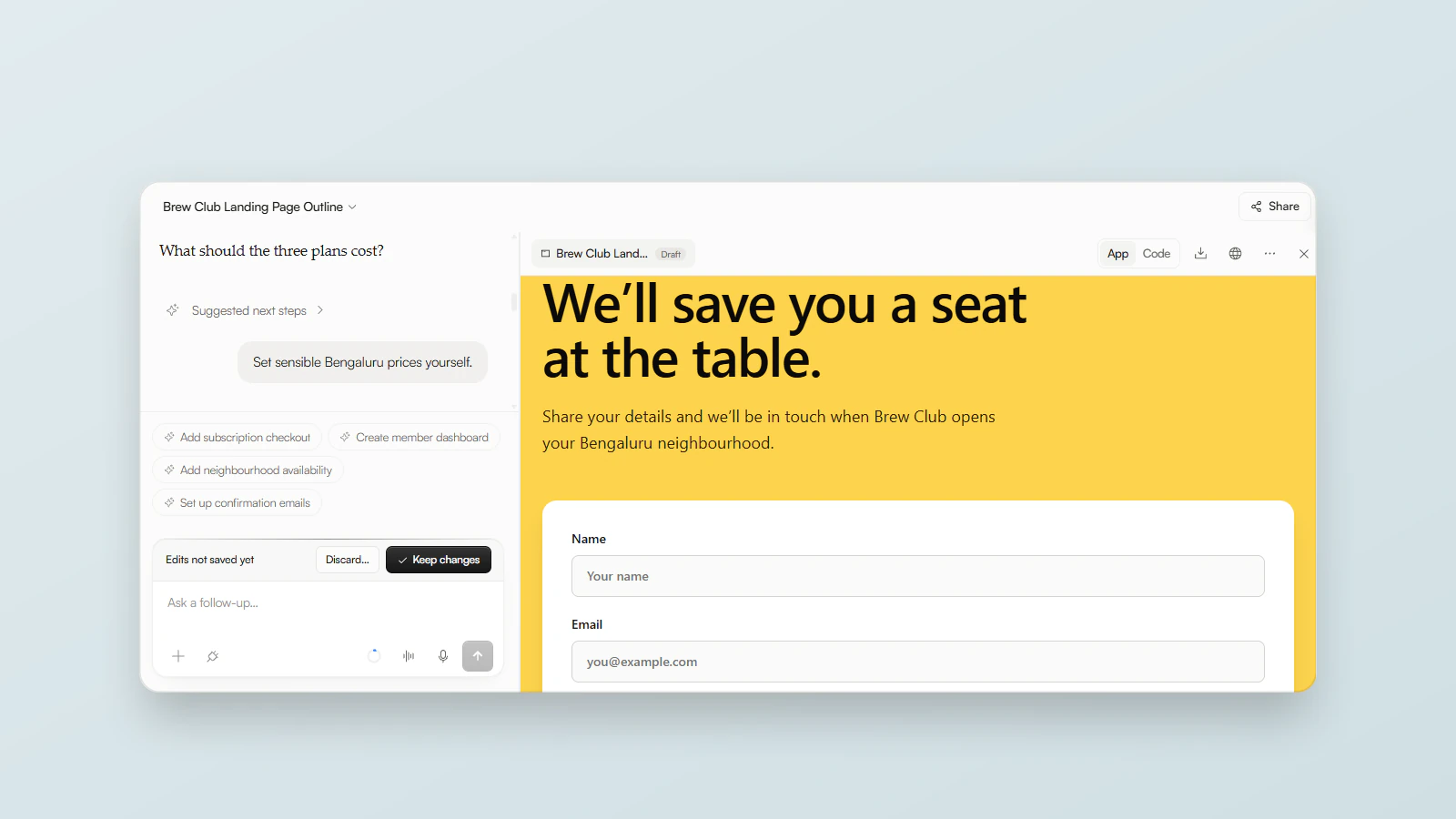
Before building, Adral asked: “What should the sign-up button do on this first version?”, and offered three answers you can click: Simple interest form, Checkout-style flow or WhatsApp enquiry. Later it asked what the three plans should cost. We replied: “Set sensible Bengaluru prices yourself.”
Short questions like these save rework. If you already know the answers, put them in your first message.
Step 3: Adral writes the site
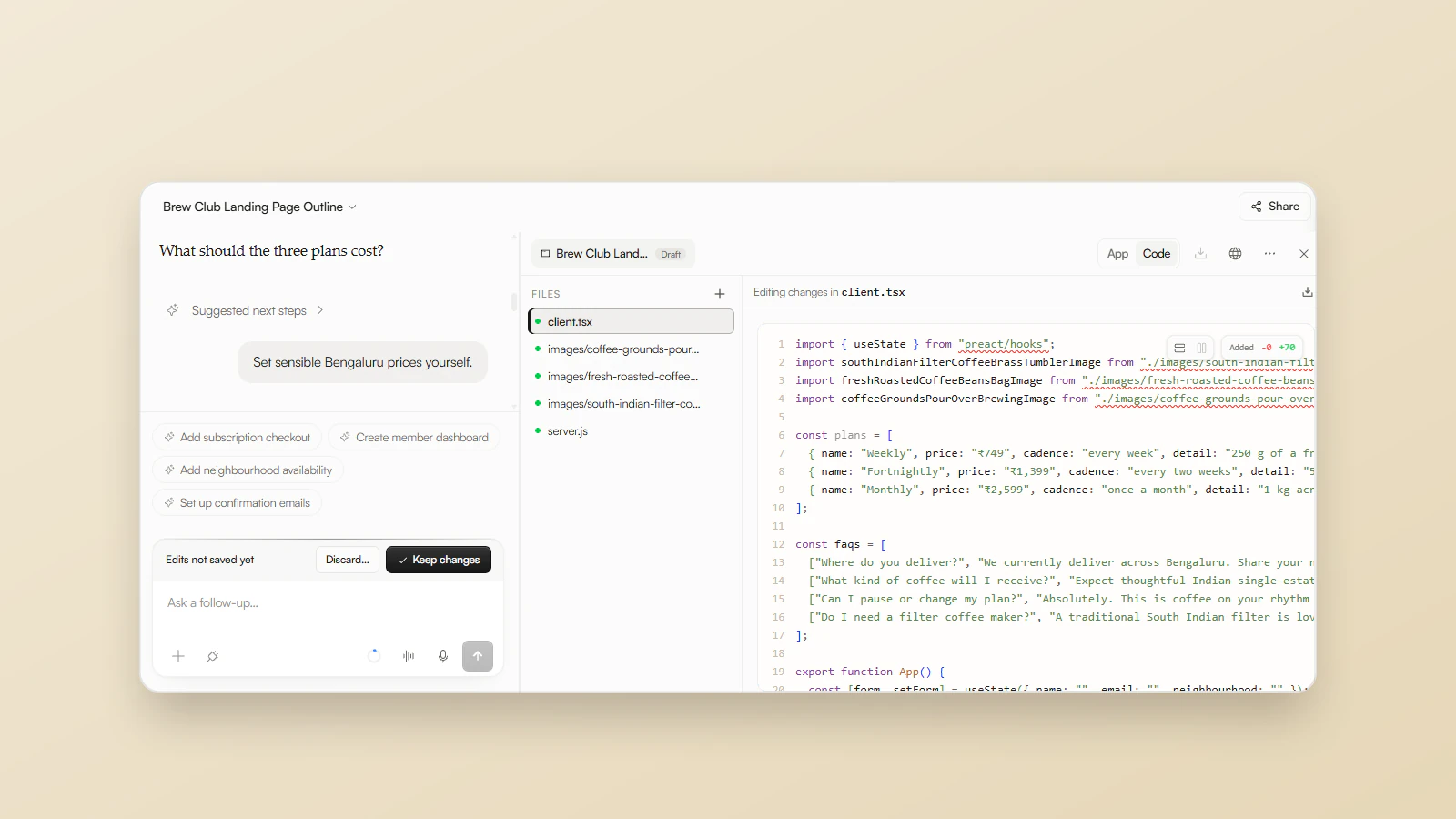
Adral wrote the code and added three images. The Code tab shows exactly what it wrote: three plans priced in rupees (Weekly ₹749, Fortnightly ₹1,399, Monthly ₹2,599) and four FAQs, from “Where do you deliver?” to “Do I need a filter coffee maker?”. The changes wait until you choose Keep changes or Discard.
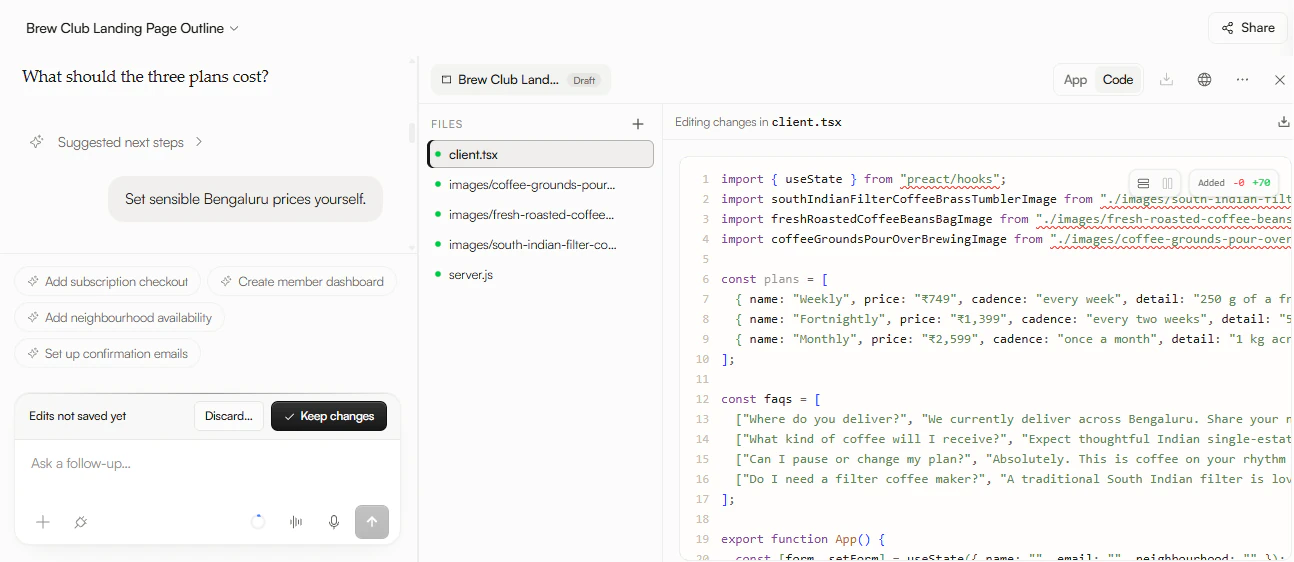
The prices are Adral’s suggestions, because we asked it to choose. For a real business, give it your own prices and details.
Step 4: Check the page
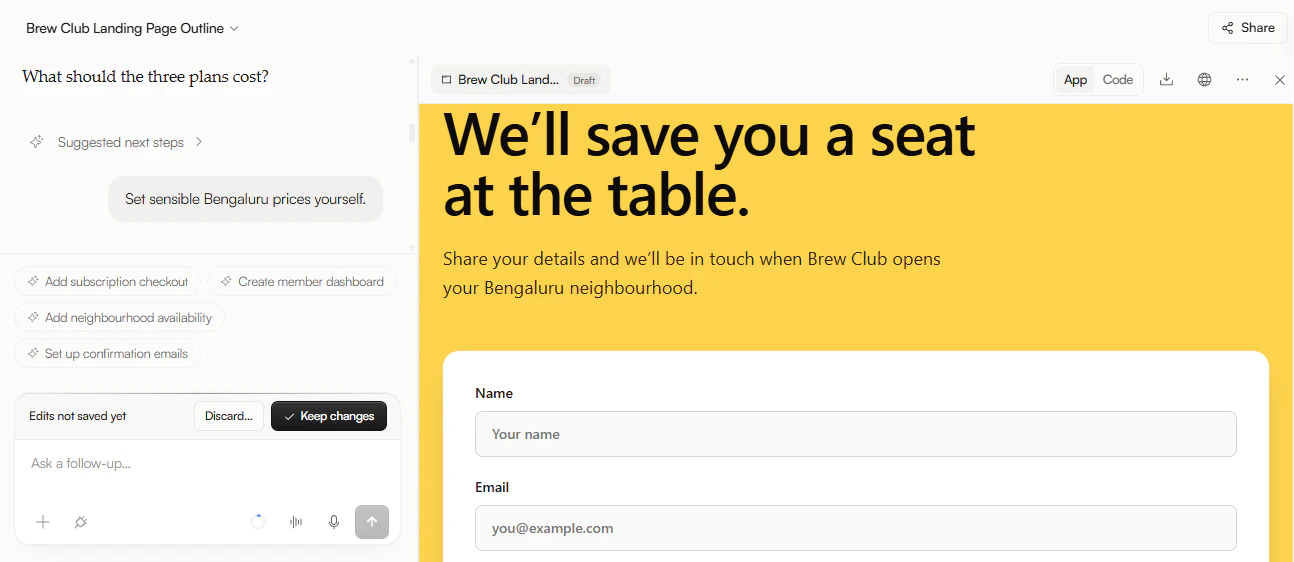
Switch to the App tab to see the site as visitors will. Here it opens with “We’ll save you a seat at the table.” and a sign-up form for name and email.
Step 5: Keep improving it
Ask for changes in plain words, or click one of Adral’s suggestions. For this site it offered Add subscription checkout, Create member dashboard, Add neighbourhood availability and Set up confirmation emails. Each change comes back for your approval.
Step 6: Publish it
Choose Publish as a website and pick the address, using 2 to 63 lowercase letters, digits or hyphens. You can copy the site link, change the address later or take the site down. A published site runs with no access to your connected accounts. It can only serve what it already holds in its own storage, so it can’t reach the apps you have connected to Adral.
Tips for a better AI website
- List the sections you want, in order: hero, how it works, plans, FAQ, footer.
- Give real details: your prices in ₹, your city or area, what the main button should do.
- Say the feel: “warm, modern”, “clean and formal”, “bold and playful”.
- Check every claim before you publish: prices, delivery areas, promises. See Checking AI output before you accept it.
Frequently asked questions
Can AI build a website for me?
Yes. In Adral you describe the site in plain words and it writes the pages and code, asks about anything it needs, and shows you the result to keep or discard.
Can I edit the website after Adral builds it?
Yes. Ask for changes in plain words, or open the Code tab and change the code yourself.
How do I put the website online?
Choose Publish as a website, pick an address and publish. You can copy the link, change the address or take the site down later.
Is it free to try?
Yes. Adral’s Free plan includes 30M tokens a month, with no card needed. Building a site uses more tokens than a quick question. See AI prices in India.
Related: AI for small businesses in India · How to make a presentation with AI · Writing a good brief