Short answer: An AI agent is an AI system that works towards a goal you give it. Instead of only replying to a message, it plans the steps, uses tools (a web browser, your files, code or connected apps), checks the result and keeps going until the task is done. A good agent also stops to ask you before anything that matters, like buying, sending or deleting.
Prefer Tamil? AI Agent என்றால் என்ன? எளிய தமிழில் படிக்க
Chatbot or agent: what’s the difference?
A chatbot answers; an agent acts. Ask a chatbot how to export last month’s orders and it explains the steps. Ask an agent, and it opens the orders page, picks the dates, reads the rows and hands you the table.
| Chatbot | AI agent | |
|---|---|---|
| You give it | A question | A goal |
| It does | Writes a reply | Plans steps and uses tools to carry them out |
| You get | Text to read or copy | A finished result: a table, a file, a completed task |
| Who clicks | You | The agent, with your approval for anything important |
A real example, step by step
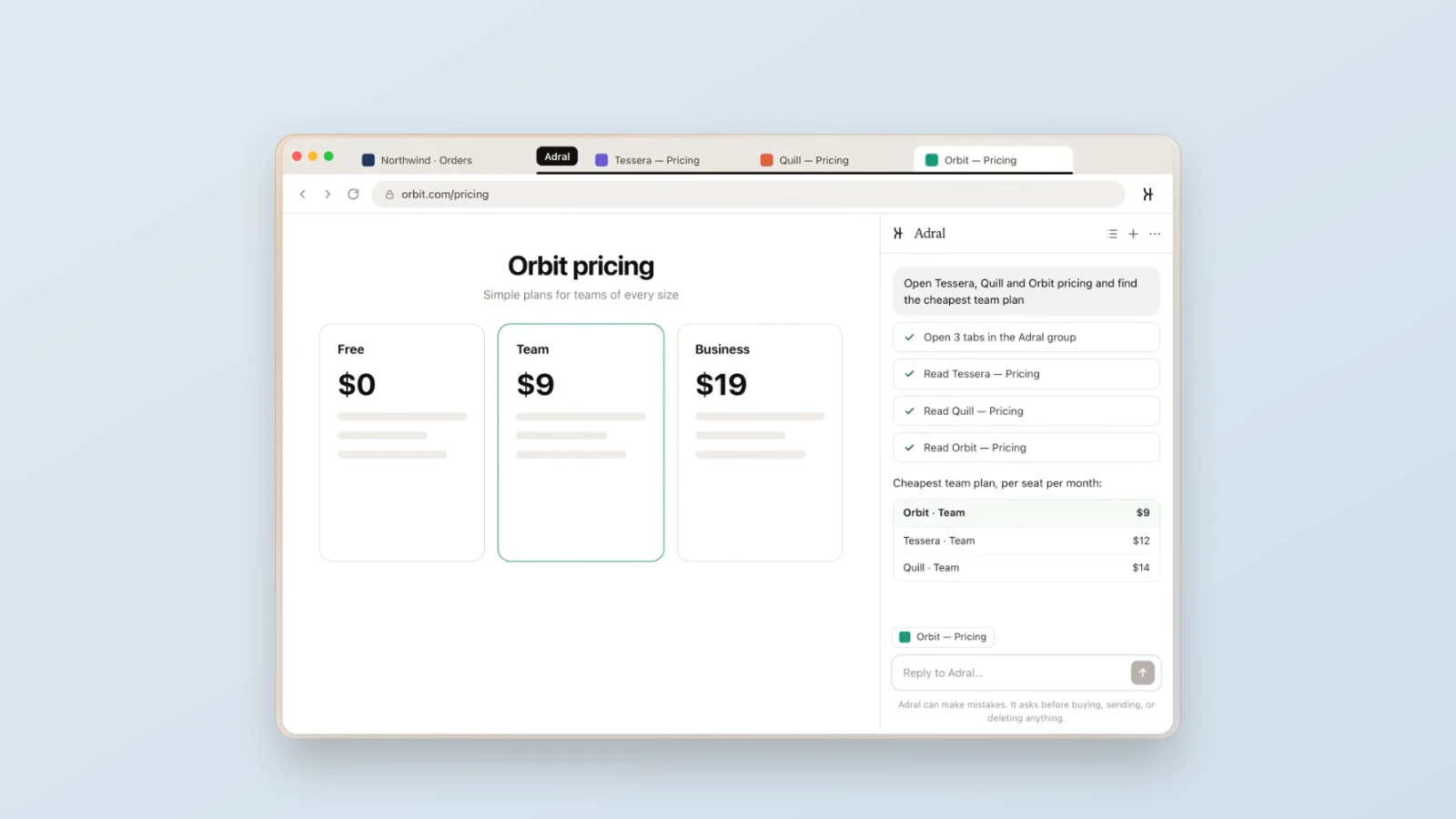
Here is a real run from Adral’s Chrome extension, from Adral’s own demo video on a sample supplier portal. The request is one sentence: “Export last month’s Northwind orders as a table.”
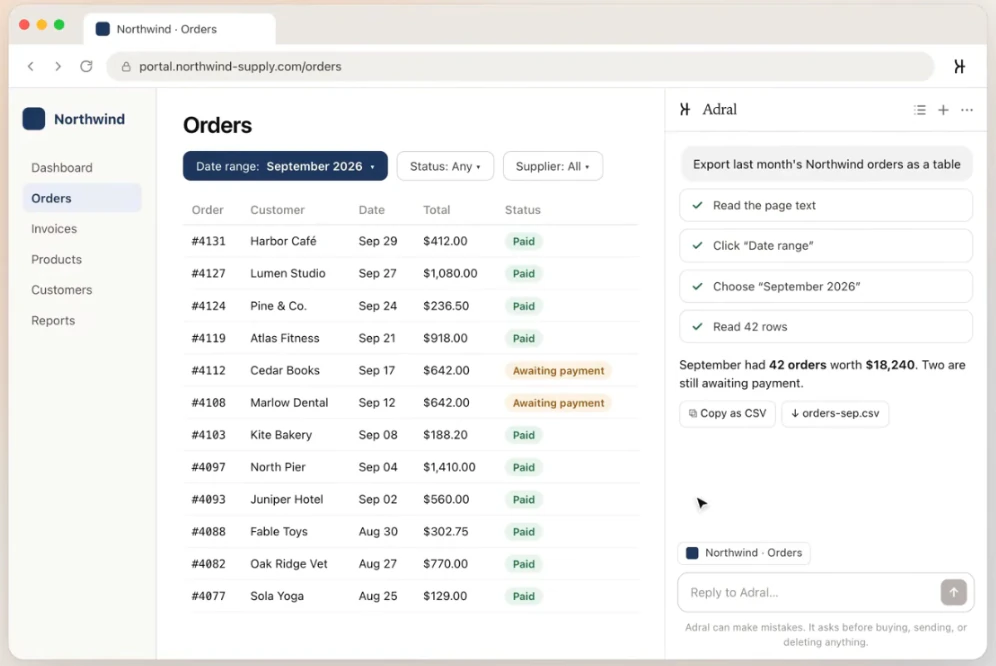
- Read the page text to understand what is on screen.
- Click “Date range” and choose “September 2026”.
- Read the 42 rows that match.
- Answer: “September had 42 orders worth $18,240. Two are still awaiting payment.” The table is ready to copy as CSV or download as a file.
Each of those steps is something you would otherwise do by hand. That is the whole idea of an agent: you describe the outcome, and it does the clicking and the reading.
How an AI agent works
- Understand. It reads your request and the context (the page, the file, what you have already said) to work out what “done” means.
- Plan. It breaks the goal into steps and decides which tool each step needs.
- Act. It uses those tools: clicking and typing in a browser, reading files, running code or working through connected apps.
- Check and deliver. It looks at the result, fixes what is off and hands you something usable, asking first before anything you can’t undo.
Agents that hand you finished work
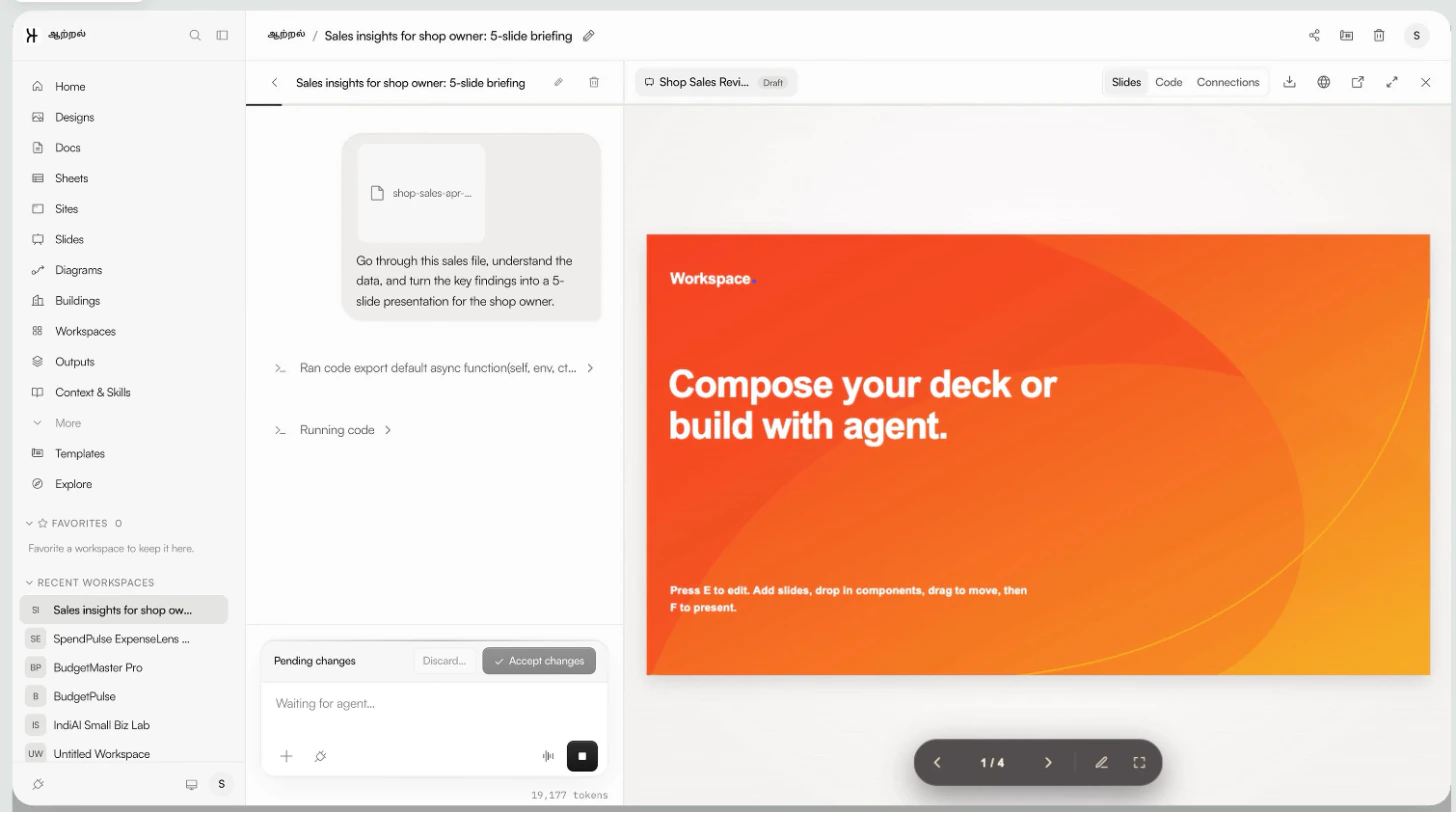
Agents are not only for the browser. In this run from Adral’s “Testing Adral” video, Adral is given a sales file and asked to turn its key findings into a five-slide presentation. It runs code to read the numbers, builds the deck, and holds the result as pending changes until you choose Discard or Accept changes.
Everyday examples of AI agents
Most agents are built around one job. These are the ready-made agents in the Adral app, with the app’s own descriptions:
- Night Shift works overnight and preps your morning digest of what needs attention.
- Inbox Triage sorts your email and drafts replies in your voice, so you only touch what matters.
- Chief of Staff manages your other Bots and pulls you in for decisions that need a human.
- Negotiator researches fair pricing and haggles in your voice when you ask.
- Prototyper turns your ideas into working prototypes you can click through.
- Researcher digs into a topic, compares sources and writes a clear brief.
Agents can also run on a schedule. In the same Chrome video, a “Morning price check” is set to run every weekday at 09:00 and report back when it is done. There is more on the Adral Agent page.
AI agent vs agentic AI
You will see both terms. Agentic AI is the broad idea: AI that can act on its own to reach a goal. An AI agent is a specific tool built that way, such as an agent that handles your inbox or one that works in your browser. In practice, “agentic” describes the behaviour and “agent” names the thing doing it.
Are AI agents safe to use?
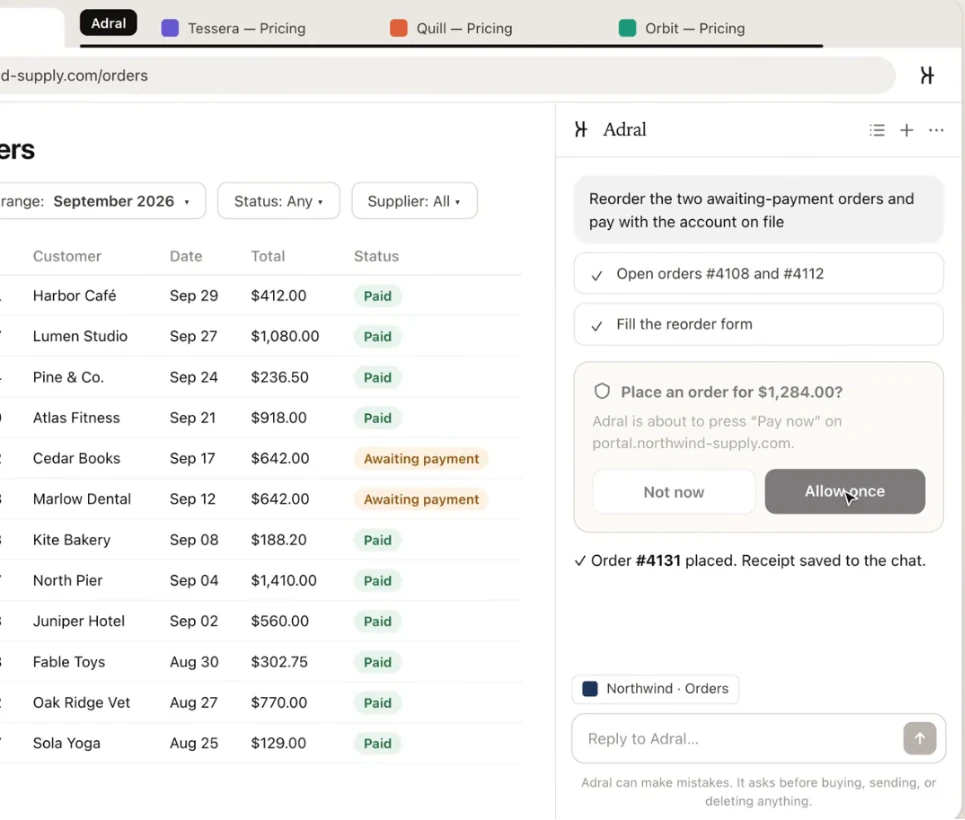
Agents can make mistakes. Adral’s own panel says so under every chat: “Adral can make mistakes. It asks before buying, sending, or deleting anything.” The second sentence matters most. When an agent reaches a step you can’t undo, it should stop and ask.
- Give a clear goal. Say what “done” looks like. See Writing a good brief.
- Keep approvals on for anything that buys, sends or deletes. See Adral proposes, you approve.
- Connect only what the job needs. Fewer connected apps means fewer places an agent can act.
- Check the result before you use it. See Checking AI output before you accept it.
When should you use an AI agent?
- Good fits: multi-step jobs with a clear finish line, such as pulling data out of web pages, turning a file into a report or a deck, comparing options across sites, or a check that repeats every morning.
- Not worth it: a one-line question. Just ask.
- Keep the decision yours: for choices that need judgement, let the agent prepare the options and decide yourself.
Frequently asked questions
What is an AI agent in simple words?
It is AI that works towards a goal for you. It plans the steps, uses tools like a browser or your files, checks the result and finishes the task, asking you before anything important.
What is the difference between an AI agent and a chatbot?
A chatbot replies to your messages. An AI agent takes actions to complete a task, such as opening pages, filling in forms, reading files or building a document.
What is the difference between an AI agent and agentic AI?
Agentic AI is the general idea of AI that acts on its own towards a goal. An AI agent is a specific tool that works that way.
What are some examples of AI agents?
Exporting a month of orders from a web portal into a table, turning a sales file into a slide deck, preparing a morning digest overnight, sorting email and drafting replies, or researching a topic and writing a brief.
Do I need to know coding to use an AI agent?
No. You describe what you want in plain words, and the agent works out the steps.
Are AI agents safe?
They can make mistakes, so a good agent asks before buying, sending or deleting anything, and you should check the result before you use it.
Related: Adral Agent · Chrome Extension · AI prices in India · AI Agent: தமிழில்